Word Search Journey: Find Word
- 4.8
- Rating
- 500.00K
- Installs
- Free
- Price

 Analysis by App-foxy
I approached Word Search Journey: Find Word as a quiet, low-pressure word game rather than something designed to compete with fast, demanding mobile entertainment. That distinction matters. Its appeal is the simple act of scanning a letter grid, spotting hidden words, and moving through a large collection of puzzles at a comfortable pace. I found it most suitable for short breaks, relaxed evenings, and anyone who enjoys familiar word-search books but wants the convenience of a phone or tablet.
Playful Bytes presents it as a free game in the word category, with an Everyone content rating. It was released on March 2, 2025, and the current version is 1.2.2. The game has already reached over half a million installs and holds a 4.8 average from around 4.4 thousand ratings, which suggests that its straightforward approach is connecting with a broad audience. Those figures are encouraging, but they do not remove the need to decide whether this particular style of puzzle suits you.
What I considered before recommending it
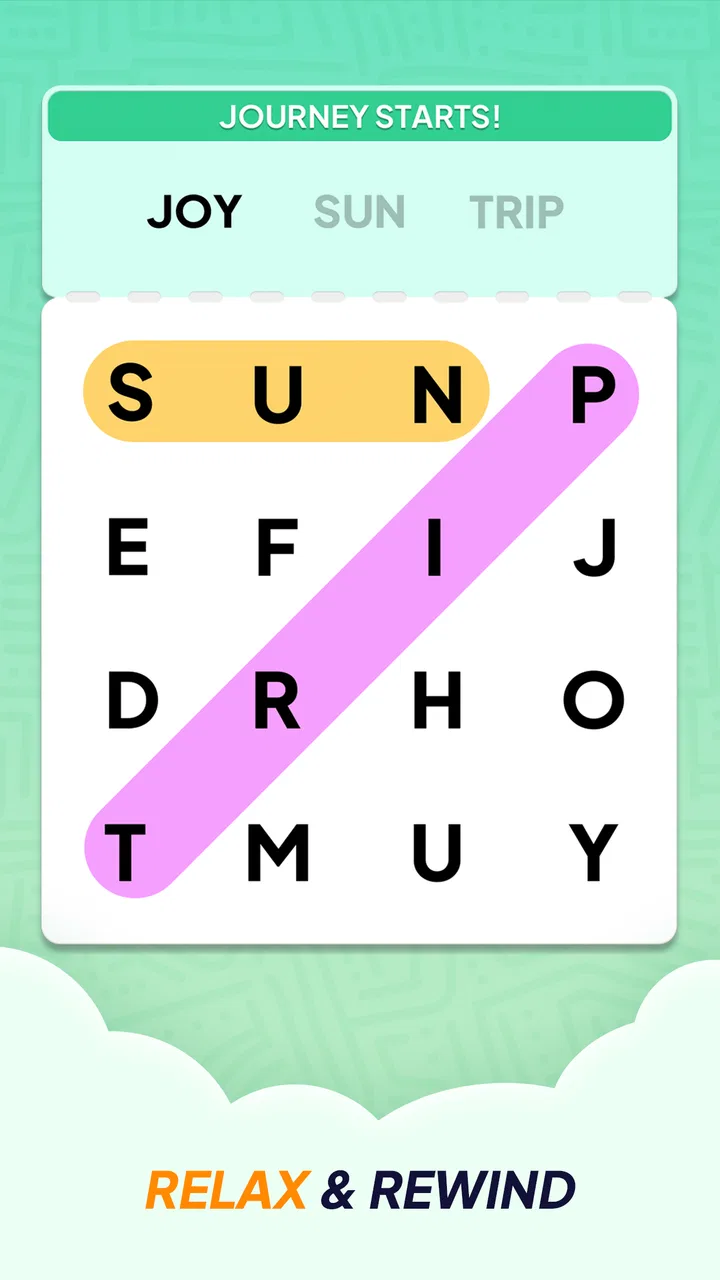
My first decision criterion was the kind of attention the game demands. Some word games ask me to build words from a rack of letters, solve clues, or race against a timer. This one is based on visual searching. I need to examine the board, follow possible letter sequences, and mark the words I discover. That makes it a better match for someone who wants a calm activity than for someone looking for constant novelty or pressure.
You May Also Like

 Blood Strike: 2.5 Anniversary
Blood Strike’s Loadouts Turn Every Drop Into a Tactical Gamble
A close look at Blood Strike’s custom loadouts: how fast access to signature weapons reshapes its battle royale rhythm, rewards preparation, and narrows the gap between fights.

 Pandora - Music & Podcasts
Pandora’s Music Is Easy to Start, but Harder to Recover
Pandora’s strength is its low-effort path from a seed to a station. Its weak spot is how much confidence it asks you to place in connection, setup, and quiet recovery.

 8 Ball Pool
 Is Built on Rivalries, Rematches, and Routine
A close look at the rivalries, rematches, shared routines, and unanswered safety questions that turn a quick pool match into a persistent mobile community.

 Samsung Music
’s Quiet Strength Is Playing What You Already Own
Its reach comes less from spectacle than from dependable access to a personal library. That simplicity is both the app’s strongest retention engine and its ceiling.

 AccuWeather: Weather Radar
AccuWeather Review: A Quick, Clear Forecast for Everyday Decisions
For everyday plans, the best forecast is the one you can understand quickly. AccuWeather makes rain timing, radar, and local conditions easy to act on, with a few trade-offs.

 Hill Climb Racing
Why Hill Climb Racing Still Turns Crashes Into One More Run
A tiny car, a bumpy hill and one more upgrade: Hill Climb Racing keeps resurfacing because its simple chaos makes every near-miss feel personal.
More From Our News Desk



The second criterion was accessibility in everyday use. A word-search game should be easy to understand without a long tutorial, and it should work well when I only have a few minutes available. The basic idea here is immediately familiar, so I could begin without learning a complicated rule set. That simplicity is especially useful for older players, casual users, or anyone sharing the game with a family member who prefers clear instructions.
I also looked at whether the game works as a repeatable offline pastime. The store summary specifically positions it around thousands of puzzles for seniors to play offline and relax. That is an important part of its identity. It is not merely a generic word game with a few boards attached; it is aimed at sustained, low-stress puzzle sessions that can fit into moments when an internet connection is inconvenient.
Finally, I considered the practical cost. The game is free to download, while optional in-app purchases range from $0.99 to $15.99 per item. That makes trying it relatively easy, but anyone who dislikes purchase prompts or prefers a completely paid-once experience should pay attention to how the free version feels during normal use. A free entry point is useful, yet it is not the same as unlimited access with no commercial friction.
The kind of player who will enjoy it
I would point this game toward people who like word-search magazines, puzzle books, and uncomplicated brain teasers. It is also a sensible choice for seniors who want a familiar activity on a larger phone or tablet screen. The absence of a complicated vocabulary challenge means the enjoyment comes from observation and persistence rather than from knowing obscure words.
It can also work well as a shared, informal activity. I can imagine opening a puzzle beside a relative, taking turns finding words, or letting a less confident player search while another person offers gentle hints. Because the central rule is so recognizable, there is little explanation needed before someone can participate.
It is less convincing for players who need a strong sense of progression, competitive rankings, or a constant stream of new mechanics. If your favorite mobile games reward quick reactions, strategic planning, or elaborate streak systems, this may feel deliberately modest. That is not a flaw in itself, but it is a meaningful trade-off when choosing between word-game categories.
Where the relaxed format works best
The offline focus is one of the most practical strengths. I would use it during a flight, in a waiting room, on a commute with unreliable service, or at home when I want to put my phone into a quieter mode. A puzzle that does not depend on a live connection is also useful for someone whose data allowance is limited or who prefers not to make casual gaming dependent on network availability.
In an everyday scenario, I might open it after dinner for ten minutes instead of scrolling through social media. I can search at my own pace, stop when I am ready, and return later without needing to remember a complicated storyline. That makes the game a good substitute for a printed puzzle page when I want something portable and less cluttered.
Another less obvious benefit is that the visual task can be adjusted naturally by the player. I can scan the board systematically from left to right, look for unusual starting letters, or search in one direction at a time. This turns a simple puzzle into a small concentration routine. For a senior player, that methodical approach may feel more comfortable than games that require rapid tapping or quick decisions.
How I would approach difficult boards
My advice is not to drag my eyes randomly across the entire grid. I get better results by first checking the shortest or most distinctive-looking words, then examining the surrounding letters in all directions. When a board becomes visually tiring, taking a brief break is more effective than repeatedly staring at the same area. The relaxed format rewards patience more than speed.
On a tablet, I would hold the device at a comfortable distance and avoid enlarging the display unless necessary. On a smaller phone, turning the search into sections helps: I can inspect the top half, then the bottom half, rather than trying to process the whole board at once. These are simple habits, but they make a noticeable difference for players who experience eye strain or lose their place easily.
For someone introducing the game to an older relative, I would begin with a short session and demonstrate one complete word rather than explaining every possible technique. The familiar grid does most of the teaching. It is also helpful to let the player choose the pace and avoid treating the puzzle like a test. The game works best when finding words feels satisfying, not when completion becomes a source of pressure.
Where this game wins against common alternatives
Compared with anagram games, this title asks less from vocabulary construction. In an anagram game, I may need to rearrange letters, recognize valid word patterns, and sometimes cope with a limited set of possible answers. Here, the letters are already placed on the board, so the challenge is locating them. That makes it a gentler option for people who enjoy words but do not want to constantly produce them from memory.
Compared with crossword-style games, it also reduces the language barrier. Crosswords depend heavily on clues, general knowledge, and sometimes wordplay. A word search gives me a visible target and a more concrete task. Someone who finds cryptic clues frustrating may prefer this approach because success depends more on careful observation than on interpreting an ambiguous question.
Against competitive word games, its biggest advantage is emotional pace. I do not choose it because I want to beat another player or protect a streak. I choose it when I want a quiet board and a manageable objective. That makes it particularly suitable for winding down before bed or filling an otherwise dull pause without increasing mental pressure.
The large puzzle collection is another reason it has staying power. The promise of thousands of boards gives the format room to become a regular habit rather than a one-evening novelty. I would still judge the experience puzzle by puzzle, but the scale makes sense for players who already know they enjoy word searches and do not want to finish the available content quickly.
Where another type of word game may fit better
I would choose a crossword or clue-based game instead if I wanted to expand vocabulary, test general knowledge, or feel that every answer involved a small act of deduction. Word Search Journey: Find Word is more about recognition than definition. It can be relaxing, but it will not provide the same kind of linguistic challenge as solving a clue whose answer is not visible on the board.
I would choose an anagram or spelling game if I wanted to practise forming words actively. Those formats make me manipulate letters and consider multiple possibilities. This game is better for scanning and concentration, but it may feel too passive to a player who enjoys building an answer from scratch.
A competitive multiplayer word game would be the stronger option for someone motivated by friends, rankings, or time limits. This title’s calm design is exactly why I like it, but that calmness can feel like a lack of urgency to a player who needs external competition to stay engaged.
There is also a potential mismatch for users who dislike visual repetition. Even with a large supply of puzzles, the fundamental action remains the same: search a grid and find words. If you need changing mechanics, story scenes, or a sense of discovery beyond the board, a different category will probably hold your attention longer.
Practical expectations about access and spending
Because the game is free, I can install it and decide quickly whether the presentation and puzzle rhythm suit me without committing money first. That is valuable for families or older players who may not know whether they prefer digital word searches to paper ones. I would treat the optional purchases as a choice rather than part of the reason to begin.
The purchase range matters most for people who are sensitive to recurring game costs. A low-cost item may be easy to justify, while the higher end of the listed range deserves more thought. I would recommend checking each purchase carefully before confirming it, especially when the device is shared with children or relatives who may tap through menus without understanding the payment step.
The Everyone rating makes the game broadly approachable from an age-classification standpoint. That does not mean every player will find the visual format equally comfortable, though. Seniors may benefit from a larger screen, good lighting, and a relaxed seating position. A phone is convenient, but a tablet can make extended searching less tiring if the player has difficulty distinguishing small letters.
The minimum operating-system requirement is Android 8.0, so owners of older Android devices should check compatibility before planning to use it. For supported devices, the current version is 1.2.2. I would keep the app updated when possible, particularly if I depend on offline play during travel, because having the current version installed is a sensible way to avoid preventable compatibility problems.
Small habits that improve the experience
One useful approach is to decide in advance how long a session should last. Ten or fifteen minutes can be enough for a break, while a longer session may become visually repetitive. Setting a personal stopping point keeps the game in its relaxing role instead of turning it into another task I feel obliged to complete.
I also recommend changing the way I search when I get stuck. Rather than repeatedly scanning for the same word, I can start from the first letter, check diagonal lines, and then inspect reversed directions. If the board begins to blur together, I put the phone down briefly and return with fresh eyes. This is a better strategy than assuming that difficulty means I need to play faster.
For family use, I would let each person choose a different searching style. One player may prefer to look for horizontal words, while another may notice diagonals quickly. That turns a solitary puzzle into a cooperative activity without requiring a formal multiplayer mode. It is a particularly good fit for a quiet visit where conversation matters more than winning.
For offline use, I would prepare before leaving home rather than waiting until I am already somewhere without service. Opening the game and making sure the available puzzle content behaves as expected is a sensible routine. This is one of the trade-offs of relying on an offline-oriented game: convenience is highest when I plan ahead instead of treating connectivity as an afterthought.
How switching from paper or another app feels
Moving from a printed word-search book to this game is easy in terms of rules, but the physical experience is different. Paper gives me a broad page, a pen, and a permanent record of the words I have circled. A phone gives me portability and less clutter, but I lose the tactile feel of turning pages. I would choose the app when carrying a book is inconvenient and paper when I want a screen-free activity.
Switching from an anagram game requires a change in expectations. I should not wait for the same feeling of inventing a word. The satisfaction here comes from noticing a pattern that was visible all along. Once I accept that difference, the game feels more rewarding; if I keep expecting word construction, I may judge it unfairly as too simple.
Switching from a crossword may be even more noticeable. There is less reading and less interpretation, so the game can feel immediately accessible but intellectually narrower. That is a fair exchange for a calmer experience. I would keep both types available if I wanted variety: crosswords for active reasoning and this game for visual focus.
The main cost of switching is not money but habit. Players who rely on streaks, social competition, or elaborate rewards may miss those motivations. Players who already enjoy quiet puzzle books will probably adapt quickly because the central activity remains recognizable. My recommendation depends on which of those two groups a reader belongs to.
My recommendation for different readers
I recommend it to anyone who wants a free, offline-friendly word-search game with a gentle pace and a substantial supply of puzzles. I especially see the appeal for seniors, casual players, and families looking for an uncomplicated activity. The Everyone rating, familiar rules, and low-pressure format make it easy to suggest without requiring gaming experience.
I would also recommend it as a deliberate alternative to endless scrolling. It gives me one clear thing to do, and the task is simple enough to start without preparation. For a short break, that focus is more satisfying than opening an app that immediately demands attention from several directions.
I would skip it if I need competitive play, rich storytelling, clue-based learning, or frequent changes in mechanics. I would also hesitate if I strongly dislike optional purchases or find long periods of visual searching uncomfortable. In those cases, a crossword, anagram game, or paper puzzle may offer a better match.
Overall, Word Search Journey: Find Word succeeds because it understands its audience. Playful Bytes has built the experience around a familiar activity rather than adding complexity for its own sake. The free starting point makes it easy to try, the offline angle gives it practical value, and the large puzzle collection supports repeat use. Its limitations are equally clear: the core action stays narrow, and optional purchases mean the free experience may not satisfy everyone equally.
My final advice is to treat it as a calm puzzle companion, not as an all-purpose word-game replacement. If that is what I wanted on my phone, I would install it and test it during a short offline session. If I found myself wishing for clues, competition, or more varied challenges, I would move to another category rather than expecting this one to become something it was never designed to be. For the right player, its strongest feature is simple: a quiet, accessible way to concentrate without turning relaxation into a competition.
FAQs for Word Search Journey: Find Word
01What is Word Search Journey: Find Word, and how does it work?
Word Search Journey: Find Word is a puzzle game designed to enhance vocabulary and cognitive skills. Players navigate through a grid of letters to find hidden words. The game offers various levels of difficulty, with increasing challenges as players progress. It’s an entertaining way to boost mental agility while having fun.
02Is Word Search Journey: Find Word suitable for all age groups?
Yes, Word Search Journey: Find Word is suitable for players of all ages. The game provides multiple difficulty levels, making it accessible for children, adults, and seniors. Its engaging design and educational elements make it an excellent choice for family-friendly entertainment and cognitive development.
03Does Word Search Journey: Find Word require an internet connection to play?
No, Word Search Journey: Find Word can be played offline. This feature makes it convenient for users who want to enjoy the game without needing constant internet access. However, certain features like updates or additional content may require an internet connection to download.
04Are there in-app purchases in Word Search Journey: Find Word?
Yes, Word Search Journey: Find Word includes in-app purchases. While the game is free to download and play, players can purchase additional hints, unlock special levels, or remove ads. These purchases are optional and enhance the gaming experience without being necessary to progress.
05How does Word Search Journey: Find Word support language learning?
Word Search Journey: Find Word supports language learning by allowing players to discover new words and improve spelling. The game’s diverse vocabulary range helps players expand their language skills. Additionally, it may offer multiple language options, providing a platform for bilingual learning and practice.
Pros
- Engaging and challenging word puzzles.
- Smooth and intuitive user interface.
- Variety of levels keeps gameplay fresh.
- Minimal ads for an uninterrupted experience.
- Offline play available for on-the-go fun.
Cons
- Limited hints can stall progress.
- Repetitive music can become annoying.
- Some levels may feel too easy.
- In-app purchases can be pricey.
- Occasional lag on older devices.

Word Search Journey: Find Word
Gallery